
Getting Started
Installation
System Requirements
- macOS 13.0 (Ventura) or later
- Apple Silicon (M1/M2/M3) or Intel Mac
Download
Download the latest version from our download page.
Install
- Open the downloaded
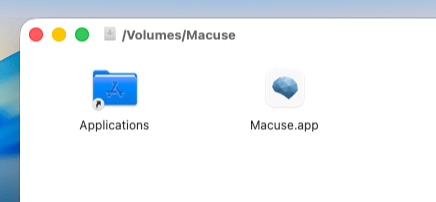
.dmgfile - Drag Macuse to your Applications folder
- Launch Macuse from Applications
First Launch
On first launch, Macuse guides you through a quick setup wizard:
- Choose which features to enable (Calendar, Mail, Notes, etc.)
- Grant necessary permissions
- Connect your AI tools
After setup, Macuse lives in your menu bar.

Permissions
Macuse requires the following permissions to function:
| Permission | Purpose |
|---|---|
| Calendar | Manage calendar events |
| Reminders | Create and manage reminders |
| Contacts | Access contact information |
| Full Disk Access | Read Mail, Notes, Messages, Stickies databases |
| Automation | Compose emails, create notes, send messages |
| Accessibility | Control UI elements, create stickies |
| Screen Recording | Capture window screenshots |
| Location Services | Get device location |
You can grant permissions selectively based on the features you want to use.